Oexta Prompt for Windows
Free · install now and every feature in this version stays free for you
Notes only
you can see.
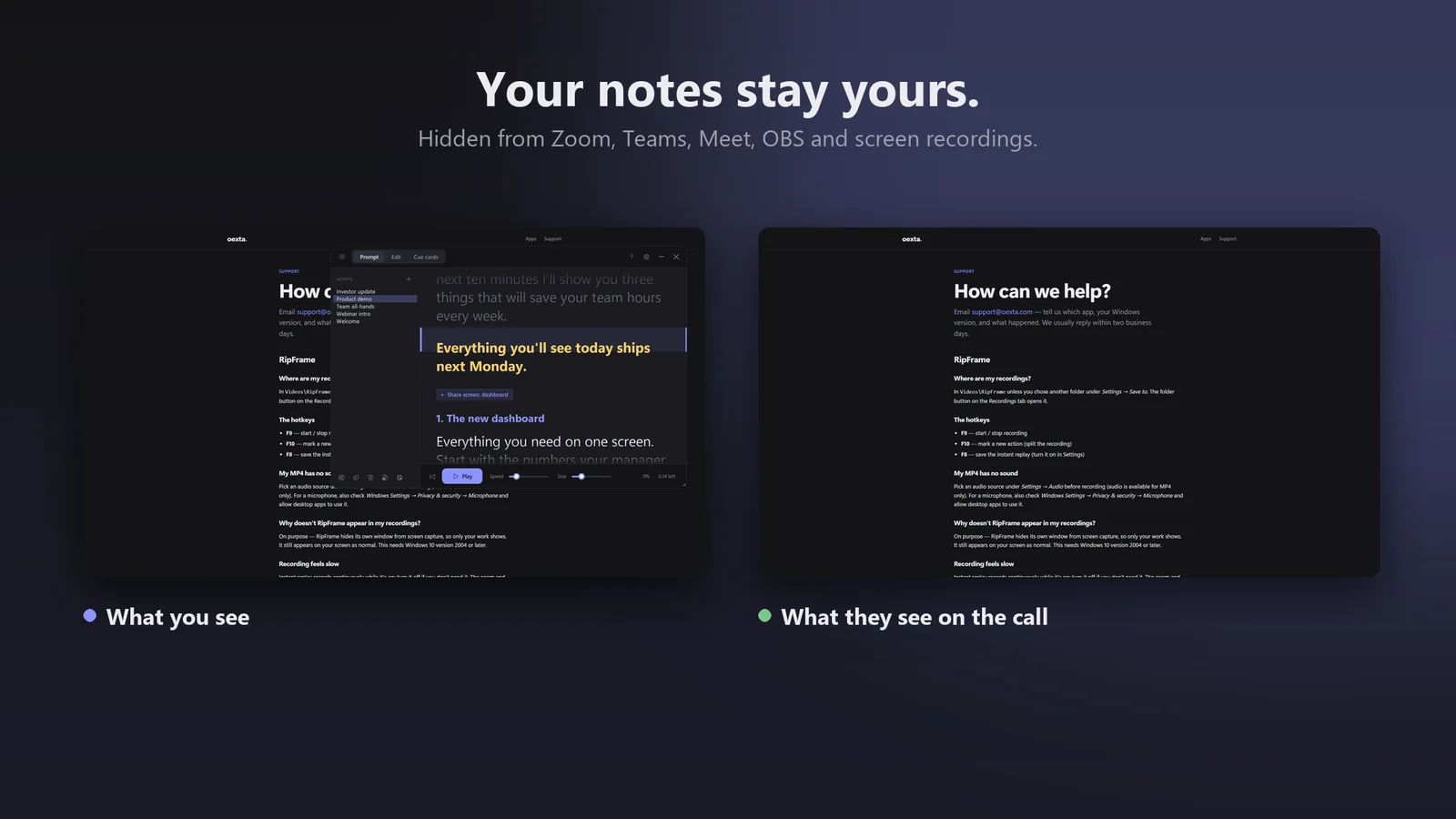
A teleprompter and cue cards that stay on your screen — and stay out of Zoom, Teams, Meet, OBS and every screen recording.
See how it works
Coming soon to Microsoft Store
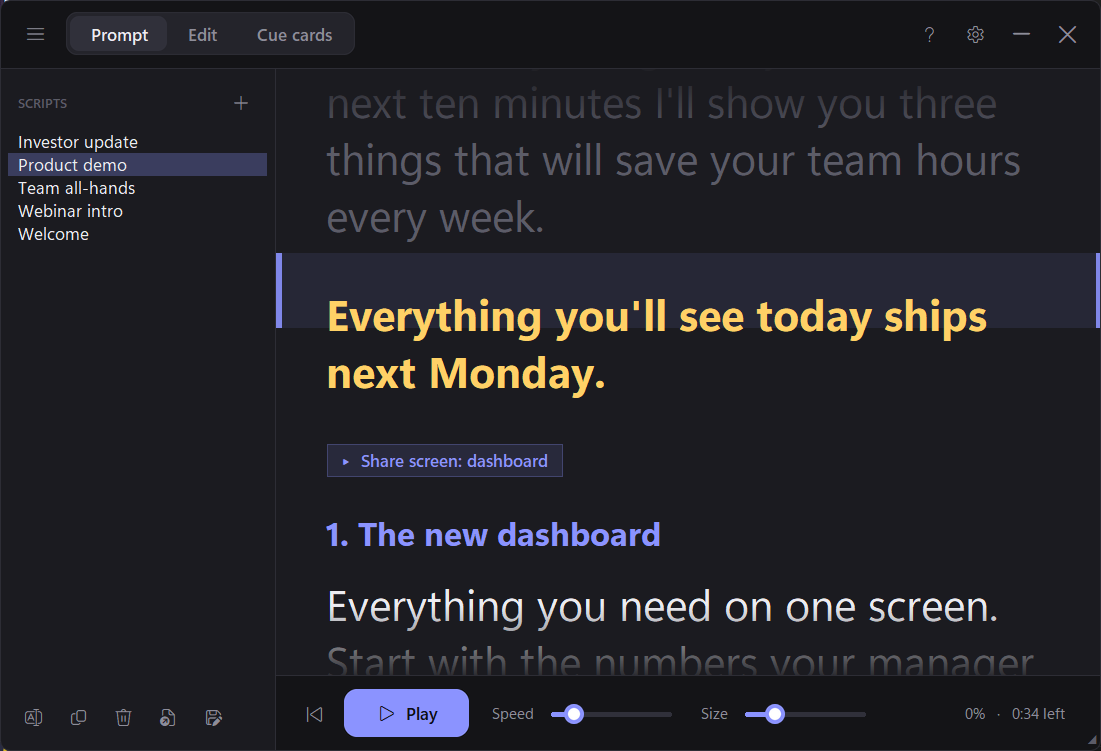
Teleprompter
Read your script. Keep eye contact.
- Smooth auto-scroll past a reading line, at the speed you set
- ! Emphasis lines, stage notes like [Show slide 3], timed pauses and speed changes
- Ctrl+Alt+Space to play or pause — even while another app is in front
Cue cards
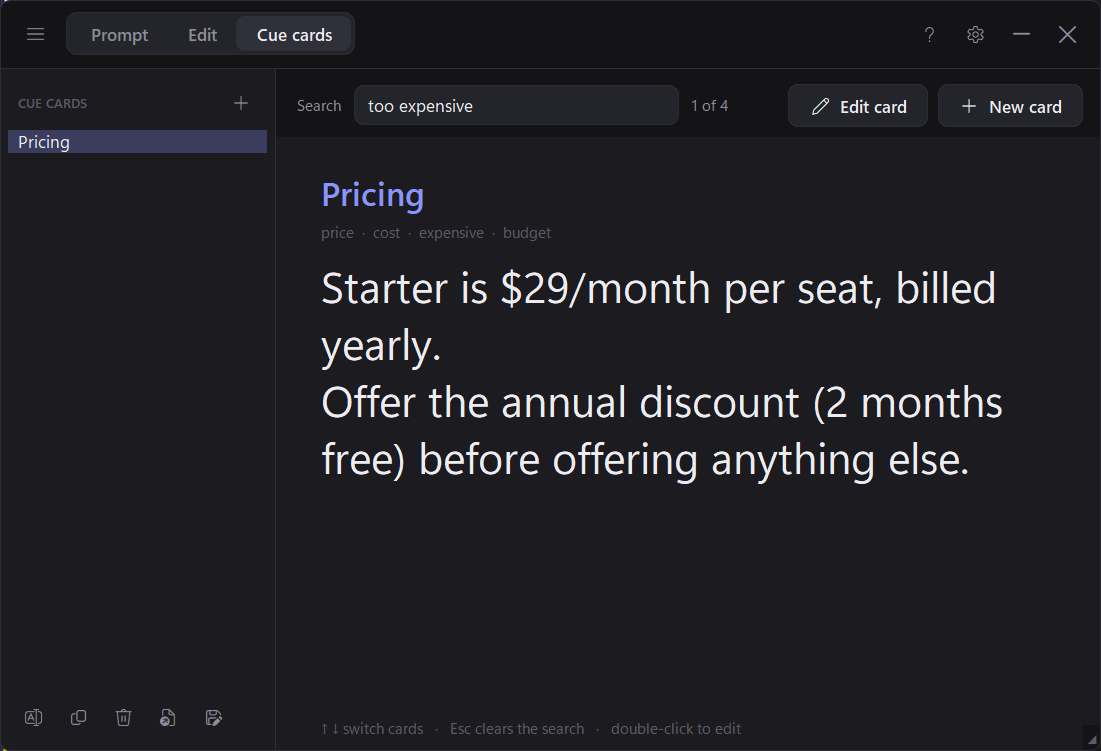
The right answer, mid-call.
- Press Ctrl+Alt+K, type a word, and the matching card appears
- Keep pricing, objection answers and talking points one keystroke away
- Nobody on the call sees it — or knows it's there
Your scripts
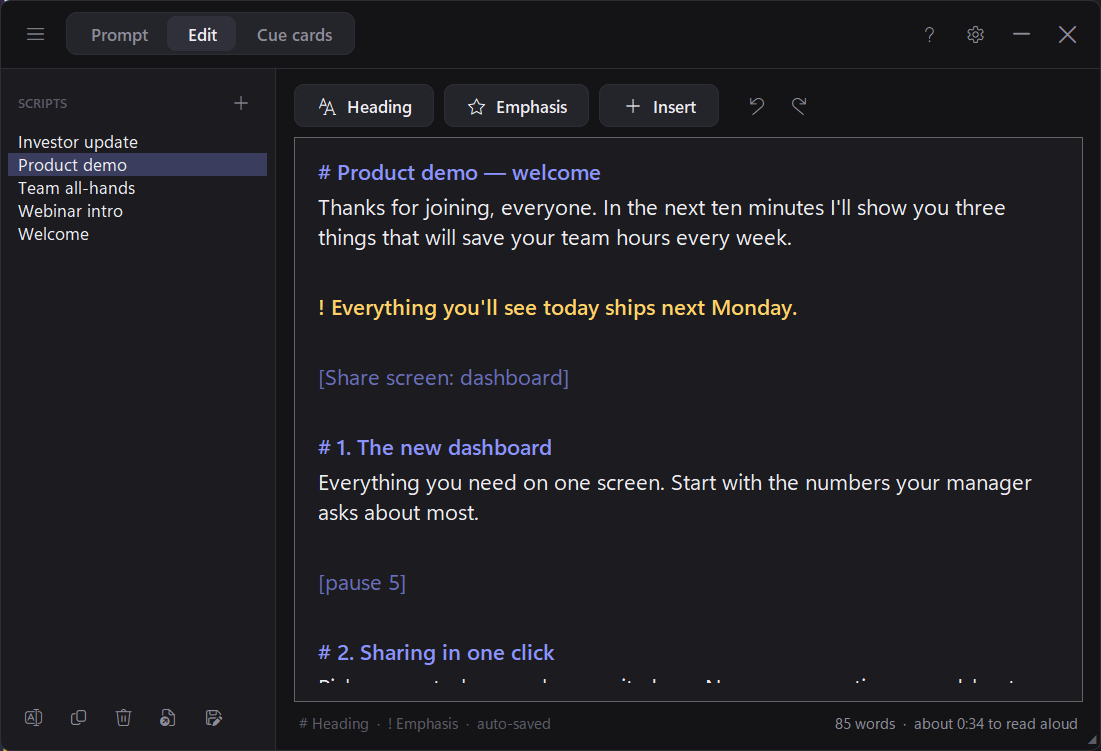
Write, save and switch in seconds.
- A library of scripts, saved automatically in your Documents folder
- One-click headings and pause markers, undo and redo
- Word count and an estimate of how long it takes to read aloud
- Import and export plain text or Markdown files
Easy to read, your way
Five window themes including High contrast, accent colours, larger text, readable fonts and bold text — accessibility options are always free.
Hide in one key
Ctrl+Alt+H hides or shows the window instantly.
Private by design
Scripts and cards stay on your PC. No account, no ads, no tracking. Privacy policy
Requirements
Windows 10 (version 2004) or Windows 11, 64-bit. Questions? support@oexta.com